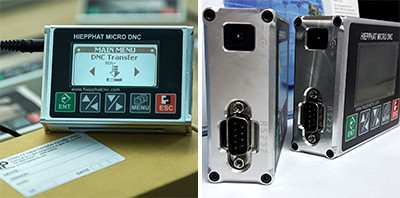
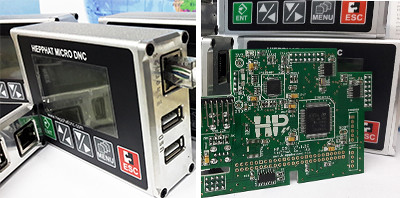
Tranfer Gcode file to CNC machine via USB

DNC Transfer Device basic model - Read data from USB or device's memory then transfer to CNC machine via port RS232, this one is easy to use and cheap

Tranfer Gcode file to CNC machine via Lan cable

DNC Transfer Device network model - Include all function of model 1 and it can transfer data via Lan connection (RJ 45 Port), using our tools: Hp TFTP to control.

Tranfer Gcode file to CNC machine via Wifi

DNC Transfer Device wifi model - Include all function of model 1 and model 2 and it can transfer data via Wifi connection , using our tools: Hp TFTP to control.

Solution for transfering data to many CNC machine with only 1 computer

With DNC network model, you can use 1 computer to control and transfer Gcode file to many CNC machine

The cheapest solution for communicate DNC-CNC

It's only 140 USD for basic unit, 160 USD for network unit and 180 USD for wifi unit

Showing posts with label Function. Show all posts

Function transfer/send file to CNC machine

Function transfer/send Gcode file to CNC machine via RS232 port

This function allow you to send/transfer/transmit file to CNC machine via RS232 port or parallel port, please read carefully.
Function transfer/send file to CNC machine

Function transfer/send file to CNC machine


Read more: http://www.dnc-cnc.com/2016/05/function-transfersend-file-to-cnc.html#ixzz4AlBfnTxO

Received/Get file from CNC machine via RS232 port

Received/Get file from CNC machine via RS232 port

This function allow you to receive/get file parameter from CNC machine via RS232 port, please read carefully this instruction guide
Received/Get file from CNC machine via RS232 port

Received/Get file from CNC machine via RS232 port
Now you have completed receive parameter/data from CNC machine via RS232 port.